The decision between scaling out and scaling up is not just technical, it is architectural. It defines your cost structure, your performance boundaries, and how your team will spend their time: optimizing systems, or fighting fires.
In Kubernetes, Horizontal Pod Autoscaler (HPA) and Vertical Pod Autoscaler (VPA) approach scaling from opposite directions. Each targets a different layer of your infrastructure, yet many teams treat them as interchangeable switches rather than strategic choices. The result is predictable: reactive scaling, unstable performance, and rising costs.
Teams that understand the architectural trade-offs between HPA and VPA build clusters that scale cleanly under pressure. Those that do not end up tuning thresholds and chasing capacity issues after every release.
The HPA vs VPA decision shapes everything downstream: how you handle traffic spikes, how you control costs, how you avoid the autoscaling feedback loops that destabilize production. This post breaks down the real differences between HPA and VPA, when each makes sense, why they conflict when used together, and why most production teams now need a unified, autonomous approach to scaling that is application context-aware.
HPA vs VPA: Key Takeaways
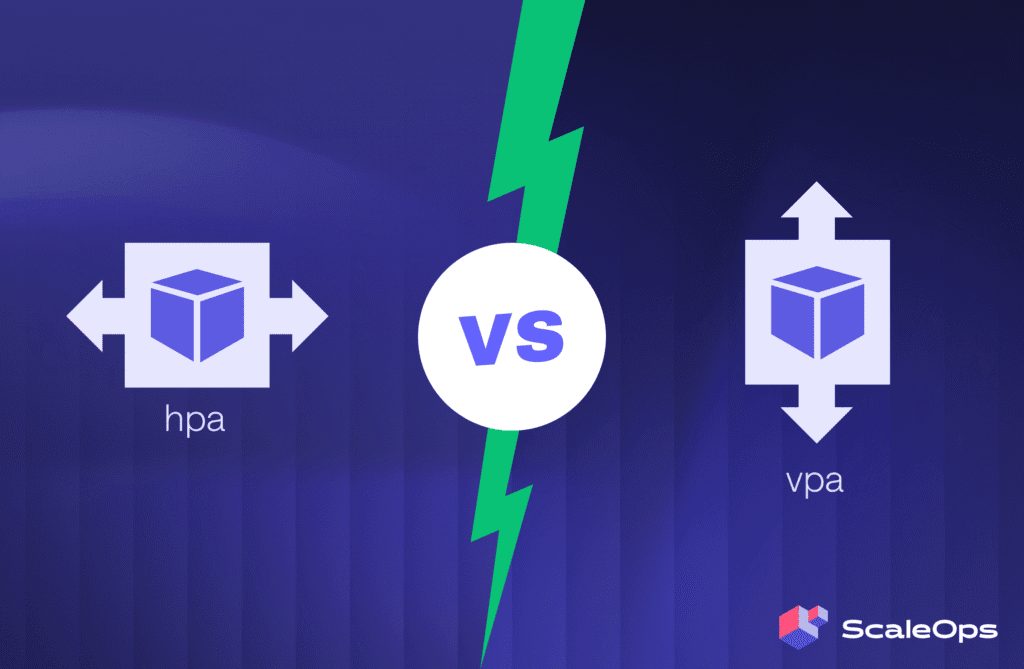
- HPA changes how many pods you run. It adds or removes replicas based on CPU, memory, or custom metrics.
- VPA changes how big each pod is. It updates CPU and memory requests and limits based on observed usage.
- They conflict by design when used together. Both controllers operate independently with no coordination mechanism, which produces feedback loops, oscillating replica counts, and the Kubernetes “death spiral.”
- Both are reactive, not predictive. Neither anticipates demand; both wait for utilization to cross a threshold before acting.
- Both are context-blind. Neither understands application behavior, cost constraints, or cluster conditions like noisy neighbors, PDB blocks, or node availability.
- Modern production needs unified, autonomous management. Reconciling vertical and horizontal scaling as a single coordinated decision, not two independent loops, is what makes running them together safe.
What is Horizontal Pod Autoscaling (HPA)?
HPA is a core feature in Kubernetes that automatically adjusts the number of pod replicas for a Deployment, ReplicaSet, or StatefulSet in response to observed metrics (CPU, memory, or custom metrics). At its core, HPA is a simple control loop running inside the Kubernetes Controller Manager, defined by a HorizontalPodAutoscaler resource using the autoscaling/v2 API group.
How does HPA work?
By default, every 15 seconds HPA does the following:
- Metric collection. HPA polls configured metrics, such as CPU usage, memory, or custom application metrics from a metrics adapter.
- Desired replica calculation. It computes the desired replica count using a formula such as
desiredReplicas = ceil(currentReplicas * (currentMetric / desiredTarget)). If utilization is above your target, it scales up; below the target, it scales down. - Scaling action. If the computed
desiredReplicasdiffers from the current replica count, HPA adjusts the/scalesubresource of the target workload, triggering pod creation or termination.
HPA depends on the Kubernetes Metrics Server to collect CPU and memory utilization data from pods. If Metrics Server is unavailable or misconfigured, HPA cannot make scaling decisions and the deployment will not scale. For custom metrics like queue depth, latency, or requests per second, HPA reads from the Custom Metrics API, which typically requires the Prometheus Adapter or a similar bridge between an external metrics source and the Kubernetes API.
For a deeper operational walkthrough on configuring HPA — from the kubectl autoscale CLI command through declarative GitOps manifests to debugging with kubectl describe hpa — see kubectl autoscale & HPA: A Production Maturity Guide. It covers the common failure modes (no metrics available, slow scale-down, replica thrashing) and how to diagnose them.
What is Vertical Pod Autoscaling (VPA)?
Where HPA assumes your pods are correctly sized and adds more of them, VPA assumes you have the right number of pods and focuses on getting their individual resource allocation right. HPA responds to demand spikes by scaling horizontally (more replicas); VPA responds to resource inefficiency by scaling vertically (bigger pods). HPA is reactive to traffic patterns; VPA is reactive to resource utilization patterns.
How does VPA work?
VPA continuously analyzes your pods’ actual resource consumption over time and compares it against their current allocations. When pods consistently exceed their requests or remain significantly under-provisioned, VPA modifies their resource specifications.
VPA is built from three coordinated components. The Recommender watches container resource usage from the Metrics Server and generates new CPU and memory request values based on per-container historical consumption histograms. The Updater decides which pods need their resources changed and, in legacy mode, evicts them so the new values can take effect. The Admission plugin is a mutating admission webhook that intercepts pod creation requests and rewrites the resource specs before the pod is scheduled. All three components run as separate deployments in the cluster, and all three are needed for VPA to apply changes in legacy mode. Native In-Place Pod Resize (GA in Kubernetes 1.35) changes this: the Updater can apply new resource values without evicting the pod, which removes the disruption that has historically kept teams from running VPA in auto-apply mode.
Historically, applying VPA recommendations required pod recreation. Native In-Place Pod Resize, introduced as alpha in Kubernetes 1.27, graduated to beta (enabled by default) in 1.33 and reached general availability in 1.35. It allows resource updates without restarts or evictions, which changes the operational calculus for VPA significantly. Most production VPA deployments still run in recommendation-only mode under GitOps control, with humans applying changes during regular review cycles.
Key Differences in Scaling Focus
HPA and VPA optimize different dimensions of workload behavior.
HPA focuses on workload volume. It assumes pods are already right-sized and adjusts the number of replicas to meet demand. This makes it ideal for handling traffic bursts, queue backlogs, and other scenarios where more hands make light work.
VPA focuses on per-pod capacity. It assumes the replica count is correct and adjusts each pod’s CPU and memory requests to match actual usage. It is best for eliminating waste from over-provisioned pods and preventing throttling in under-provisioned ones.
In simple terms:
- HPA solves for throughput by adding more pods.
- VPA solves for efficiency by resizing existing pods.
- A web API experiencing unpredictable traffic benefits from HPA.
- A machine learning service running models of varying complexity benefits from VPA.
This difference in scaling philosophy shapes everything else: response speed, disruption patterns, configuration complexity, and ideal use cases. Understanding which dimension your workload stresses most is the key to choosing the right autoscaling strategy.
| Dimension | HPA (Horizontal) | VPA (Vertical) |
| Scaling target | Number of pod replicas in a Deployment, ReplicaSet, or StatefulSet | CPU and memory requests and limits per pod |
| Trigger signal | Real-time CPU, memory, or custom metrics from Metrics Server or Prometheus Adapter | Historical usage histograms collected per container over hours to days |
| Resource impact | Cluster-wide capacity changes; spreads load across more pods | Per-pod resource allocation changes; total cluster footprint shifts gradually |
| Disruption risk | Low (additive scaling; new pods join, no existing pods restart) | Higher in legacy mode (pod recreation); near-zero with native In-Place Pod Resize (GA in K8s 1.35) |
| Response speed | 2 to 4 minutes typical from threshold breach to ready pods | Hours to days to build a recommendation; minutes to apply once recommended |
| Cost impact | Reduces over-replicated baselines; can pay for fast scale-up at the cost of slower scale-down | Reduces per-pod overprovisioning; recovers stranded capacity that bin-packing leaves behind |
| Stateful suitability | Strong for stateless services with multiple replicas; weak for single-replica stateful workloads | Recommendation-only for stateful workloads; auto-apply risks restart cascades on databases and queues |
| Operational complexity | Threshold tuning, stabilization windows, custom metrics infrastructure | Histogram analysis, eviction management, admission controller configuration |
| Best for | Traffic spikes, queue processing, event-driven workloads | Steady workloads with unclear sizing, batch jobs, ML inference |
HPA and VPA on OpenShift
OpenShift teams ask whether the autoscaling story differs from upstream Kubernetes. The short answer is no.
Red Hat OpenShift ships the same Horizontal Pod Autoscaler API as upstream Kubernetes, supported by the standard Metrics Server (or OpenShift Monitoring as the metrics backend). HPA on OpenShift behaves identically: same autoscaling/v2 API, same metric types, same scaling math. Anything that works on upstream Kubernetes HPA works on OpenShift HPA.
VPA is the part that differs operationally. Stock Kubernetes ships VPA as an optional component you install yourself. OpenShift ships VPA as a Red Hat-supported Operator available from OperatorHub. The Operator handles installation, lifecycle, and version management; once installed, the VPA behavior is the same as upstream. The same caveats apply: run in recommendation-only mode for any deployment that also has HPA, auto-apply only on workloads without HPA, and treat stateful workloads conservatively.
For OpenShift teams, the autoscaler conflict patterns are the same as upstream Kubernetes. The HPA-VPA feedback loop happens for the same architectural reasons, and the mitigations are the same.
When to Choose HPA vs VPA: Matching Strategy to Workload
Choosing between HPA and VPA starts with understanding what is driving your scaling pressure: throughput or efficiency.
HPA is the right choice when your bottleneck is throughput. Your per-request resource needs are stable, but request volume fluctuates. HPA adds more replicas to handle higher load, which works well for workloads that scale roughly linearly with traffic.
Use HPA for workloads such as:
- Web APIs that experience unpredictable traffic spikes
- Queue processors handling variable message backlogs
- Event-driven microservices that respond to bursts of user activity
VPA fits when your bottleneck is efficiency. Your traffic is steady, but resource usage per request changes over time. VPA adjusts CPU and memory allocations to keep pods right-sized, reducing waste and avoiding throttling.
Use VPA for workloads such as:
- Batch jobs with varying computational complexity
- Data pipelines with changing input sizes
- Memory-heavy services where overprovisioning is costly
- Applications where resource needs are hard to estimate upfront
Decision tree: which autoscaler does this workload need?
Run through these questions in order. Stop at the first match.
1. Is request volume the primary bottleneck, with per-request resource use roughly stable? → HPA. Scale replicas to handle traffic. Use CPU, memory, or custom metrics that actually reflect load.
2. Is per-pod resource usage the bottleneck, with traffic steady? → VPA in recommendation-only mode. Apply recommendations during regular review cycles. Auto-apply only if no HPA is present on the same deployment.
3. Are both volume AND per-pod resource sizing changing over time, on a stateless workload? → Either HPA + VPA recommendation-only with manual application, OR an autonomous platform that coordinates vertical and horizontal scaling as a single decision. Auto-applying both on the same deployment without coordination produces the death spiral.
4. Is the workload stateful (database, queue, single-replica service)? → VPA recommendation-only, no auto-apply. Apply changes during planned maintenance windows. Use HPA only if the workload supports multiple active replicas.
5. Does the workload scale on leading indicators that CPU and memory cannot express (queue depth, request latency, custom business metrics)? → KEDA, not HPA. KEDA scales on external event sources and custom metrics that standard HPA cannot read directly.
6. Is the workload bursty with predictable seasonal patterns? → HPA + proactive replica management. Standard HPA reacts after the burst; proactive replica management pre-warms capacity before predictable demand using historical baselines.
If multiple branches apply, the workload likely has overlapping characteristics. In that case, coordinated autonomous management is usually the cleanest path forward, since the alternative is stitching three or four control mechanisms together by hand.
Limitations of HPA and VPA
Both HPA and VPA are powerful, but each comes with operational challenges that can catch teams off-guard.
HPA Limitations
HPA reacts to changing demand but has several hidden pitfalls:
- Cold-start delays. When scaling from zero or very low replica counts, new pods take time to initialize. The gap between detection and readiness can cause temporary latency spikes or request failures.
- Averages hide outliers. HPA typically scales on mean CPU utilization. It cannot see P99 latency or per-request performance degradation, so a subset of users may still experience slow responses.
- Memory scaling pitfalls. Scaling based on memory usage often breaks caching efficiency, evicting pods that held warm caches and introducing unnecessary cold starts.
- Reactive by design. HPA scales on observed symptoms, not anticipated demand. The full metrics pipeline (kubelet → Metrics Server → HPA → scheduler → pod start → readiness probes) introduces 30 seconds to over 3 minutes of cumulative delay from a traffic spike to new capacity serving requests. By the time average CPU crosses your threshold, users have already experienced degraded latency. Faster scaling requires leading metrics like CPU throttling ratio (kernel-level), PSI (Pressure Stall Information, Kubernetes 1.34+), or queue growth rate, covered in Why CPU Utilization Is the Worst Scaling Signal.
VPA Limitations
VPA’s approach to right-sizing pods is effective but comes with trade-offs:
- Disruptive scaling in legacy mode. Applying new recommendations the old way requires pod evictions and restarts, which can interrupt service or violate PodDisruptionBudgets. Native In-Place Pod Resize changes this, but adoption is uneven.
- Slow adaptation. VPA learns from historical data, not real-time signals. Recommendations lag behind sudden workload changes, making stock VPA unsuitable for bursty traffic.
- Blind to runtime conditions. VPA does not account for transient factors like throttling, noisy neighbors, or short-lived spikes.
- Learning curve for new workloads. It takes time to gather enough data for accurate recommendations. During that period, resource allocation can remain suboptimal.
- Operational fragility. The admission controller adds scheduling latency and, if misconfigured, can block new pod creation cluster-wide.
Shared Limitations of HPA and VPA
Both HPA and VPA operate without context. They react to raw utilization metrics rather than understanding why those metrics change. Neither considers application behavior, cost constraints, or cluster-level conditions such as node availability, noisy neighbors, or network contention. This lack of context-awareness often leads to scaling decisions that fix symptoms instead of root causes.
They also share mechanical constraints: both rely on stabilization windows to prevent thrashing, which delays legitimate scaling actions, and both can be blocked by misconfigured PodDisruptionBudgets (PDBs) that restrict evictions or rescheduling.
Can You Run HPA and VPA Together?
Technically yes, but it introduces a feedback loop that will destabilize clusters in production.
Here is what happens:
- VPA increases a pod’s CPU request based on usage
- The higher request lowers CPU utilization percentage
- HPA interprets this as underutilization and scales down replicas
- Fewer replicas drive utilization back up, causing VPA to raise requests again
This tug of war leads to rapid fluctuation in both pod count and pod size. In production, that is not an option. For a deeper analysis of why this happens and the three architectural flaws behind it, see Kubernetes HPA and VPA: Fix Scaling Conflicts and the Death Spiral.
The key recognition is that HPA and VPA were designed as separate solutions for different problems. Running both together requires explicit orchestration and guardrails that neither controller provides natively.
Beyond HPA vs VPA: A Unified Kubernetes Autoscaling Approach
Autoscaling in Kubernetes is not just about how many pods you run or how big they are. It is about managing both dimensions continuously and intelligently, based on application context, not raw utilization averages.
This is where ScaleOps comes in.
ScaleOps is an Autonomous Cloud and AI Infrastructure Resource Management platform that unifies horizontal scaling (replica count) and vertical rightsizing (pod resources) into a single coordinated control plane. Instead of running two reactive controllers in conflict, ScaleOps reconciles replica count and per-pod sizing as a single decision, which makes running HPA and continuous vertical management together safe.
How it works:
- Automated Pod Rightsizing continuously manages CPU and memory requests and limits based on real workload behavior, using native Kubernetes In-Place Pod Resize so changes apply without restarts or evictions.
- Replica Optimization augments HPA and KEDA with workload-aware, cost-aware signals that native Kubernetes metrics cannot provide, keeping horizontal scaling aligned with real demand and SLOs.
- Application context-awareness detects whether a workload is a latency-sensitive API, a batch job, an ML pipeline, or something else, and applies the right strategy automatically without custom rules.
- Coordinated node management works alongside both Cluster Autoscaler and Karpenter, maintaining balance between pod-level decisions and node-level capacity without taking either autoscaler offline.
This sits inside a clean three-layer model. The Kubernetes scheduler decides where pods land on existing nodes. Cluster Autoscaler and Karpenter decide which nodes exist. Resource management decides what packs the cluster, by continuously rightsizing requests and placing workloads the scheduler cannot move on its own. Each layer has a distinct, non-overlapping responsibility, and trying to solve a layer-3 problem with layer-1 or layer-2 tooling is what produces the 30-40% utilization clusters that refuse to scale down. For the full breakdown, see The Kubernetes Scheduler: How Pod Placement, Bin Packing, and Autoscalers Actually Fit Together.
The result: maximized performance and reliability, minimal waste, and no manual tuning.
HPA vs VPA: Reactive vs Autonomous Kubernetes Scaling
The HPA vs VPA debate misses the deeper point. HPA and VPA each solve one side of the autoscaling problem. Both are reactive, both depend on manual tuning, and both operate blind to broader context. Modern production environments need autonomous, application context-aware scaling that continuously manages resources across both dimensions.
That is the role of ScaleOps: turning reactive control loops into proactive, intelligent resource management that delivers consistent performance and cost efficiency without manual effort.
Ready to see unified Kubernetes autoscaling in production?
Most teams hit the HPA-VPA conflict the moment they try to run both controllers together at scale. Continuous, autonomous management resolves the conflict by treating vertical and horizontal scaling as a single coordinated decision.
- Book a demo to see ScaleOps running unified autoscaling on a production-like cluster
- Install ScaleOps in read-only mode to see how your current HPA and VPA setup compares against autonomous coordination, no commitments
HPA vs VPA: Frequently asked questions
What is the difference between HPA and VPA in Kubernetes?
HPA (Horizontal Pod Autoscaler) changes the number of pod replicas based on observed metrics like CPU utilization. VPA (Vertical Pod Autoscaler) changes the CPU and memory requests and limits of individual pods. HPA solves for throughput by adding pods; VPA solves for efficiency by resizing pods.
Can HPA and VPA be used together?
Technically yes, but in production they conflict. VPA raising CPU requests lowers utilization percentages, which causes HPA to scale down replicas, which raises utilization, which causes VPA to raise requests again. This feedback loop produces oscillating replica counts and is sometimes called the Kubernetes death spiral. Resolving the conflict requires explicit coordination between the two scaling dimensions, which neither controller provides natively.
When should I use HPA instead of VPA?
Use HPA when your bottleneck is throughput. If pod-level resource needs are stable but request volume fluctuates, more replicas solve the problem. Web APIs, queue processors, and event-driven microservices are typical HPA workloads.
When should I use VPA instead of HPA?
Use VPA when your bottleneck is efficiency. If your traffic is steady but resource usage per request varies, resizing pods is the right lever. Batch jobs, data pipelines, and memory-heavy services with hard-to-predict sizing are typical VPA workloads.
Does VPA require pod restarts?
In legacy mode, yes. Applying VPA recommendations requires pod eviction and restart. Native Kubernetes In-Place Pod Resize (alpha in 1.27, beta in 1.33, GA in 1.35) allows resource updates without restarts, but adoption is uneven and most production VPA deployments still run in recommendation-only mode under GitOps control.
What is the Kubernetes death spiral?
The Kubernetes death spiral refers to the feedback loop that occurs when HPA and VPA are configured to manage the same workload on the same metric. The two controllers operate independently with no coordination mechanism, which produces oscillating replica counts and unstable resource requests as each controller reacts to the other’s output.
How does ScaleOps handle the HPA-VPA conflict?
ScaleOps reconciles replica count and per-pod sizing as a single coordinated decision instead of running two independent control loops. This makes continuous vertical management safe to run alongside HPA, without the feedback loops that destabilize stock HPA-plus-VPA deployments.